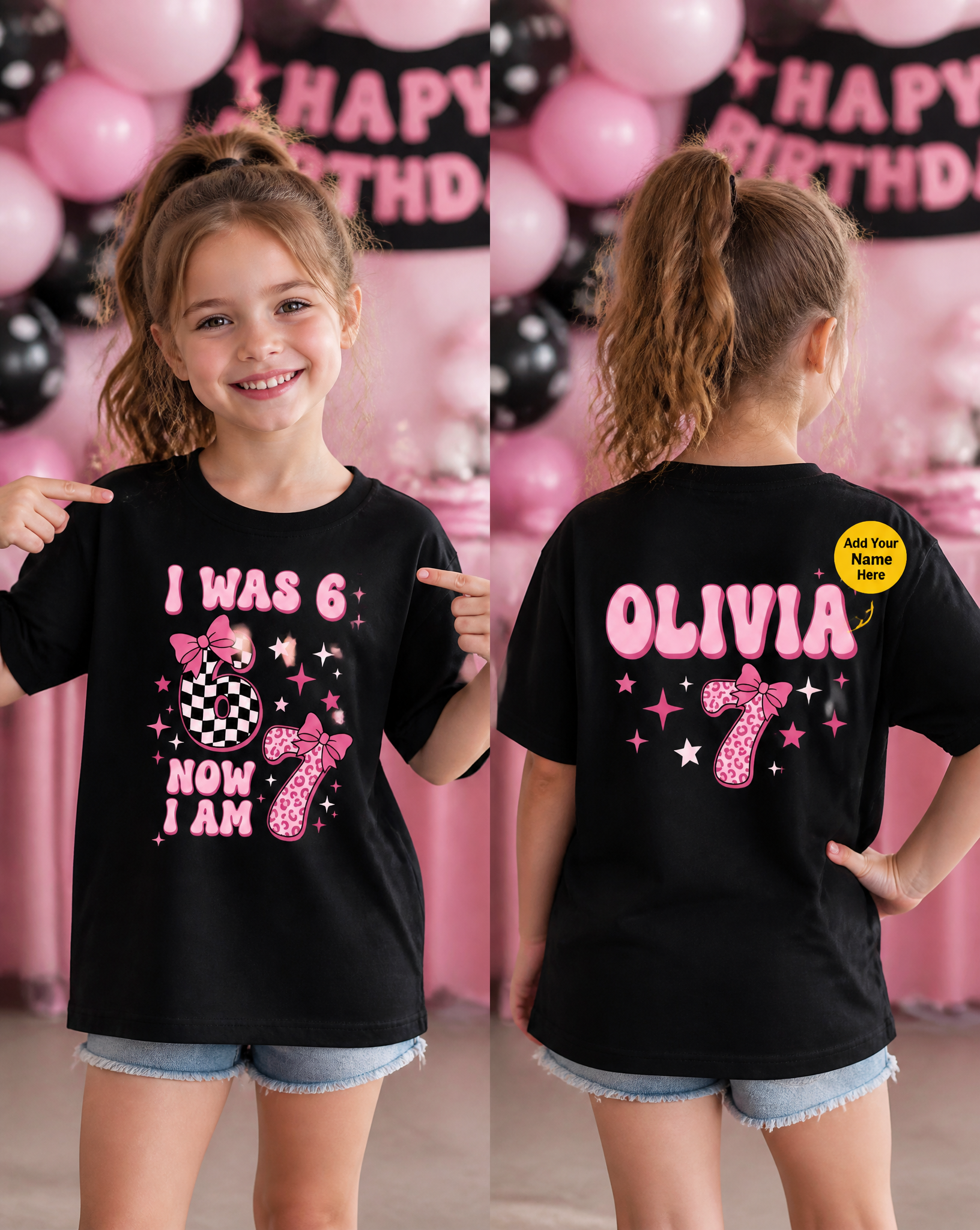
Kids' Relaxed Black T-Shirt Mockup for 7-Year-Old Girl
Prompt
I want a Black Color t-shirt in the mockup, shown in two separate images: Front view and Back view.The t-shirt must be a loose/relaxed fit (not tight or fitted) on the model, in both views.The design targets Kid 7 year old Girl — feature a realistic Girl model with fair skin and American features, rendered in a natural, photorealistic style (real skin texture, natural lighting, no cartoonish or overly airbrushed look), wearing the shirt. Give him a stylish, natural pose that is specifically tied to the design's theme and concept — the pose should visually connect to what the design is about (sport, celebration, hobby, event, etc.), not a generic or repeated gesture. Avoid defaulting to a "cheering" pose every time; vary the pose across images so each one feels distinct, confident, and contextually appropriate to that specific design. For the back view, pose the model so the back of the shirt is clearly and fully visible to the camera.Do not add any extra props, accessories, or objects — no wristbands, bottles, bags, jewelry, hats, or any other item not explicitly part of the design concept. Only the model and the t-shirt should be the focus.Front Design: Keep the same overall theme as the original, but make the design itself different — not a copy. Use the exact original wording only; do not add any extra text.Design Size & Placement (Front): The front design must be a normal/standard size — not oversized, not full-chest, not edge-to-edge. It should sit centered on the front chest area only, at the same scale/proportion as a typical DTF (Direct-to-Film) printed transfer applied to a t-shirt. Leave natural fabric space around the design on all sides — do not stretch or scale it to dominate the shirt.Back Design (Personalization): Add a personalization design on the back of the shirt that matches the same theme, with a clear "Name" placeholder text styled to fit the design (e.g., a name written in a bold/sporty font consistent with the front design's style). Keep this design also at a normal, standard DTF-print scale — centered on the upper-back area, not oversized or covering the entire back.Keep text, numbers, and any character/cartoon elements separate and non-overlapping (never merge a character onto a digit) so the design remains fully editable. If an age or number appears, leave clear blank space beside it for future edits.Badge (updated): Add a small yellow-colored circular badge near the personalization element (name, year, or number) on the back design. The circle must be drawn entirely within the t-shirt fabric area — it should not extend past the shirt edges into the background. Connect the badge to the personalization element with a clean pointer arrow pointing directly at it. The badge text must clearly state what that element represents — e.g. "Add Your Name Here", "Customize This Year", or "Personalize This Number" — matching whichever personalization type is actually present. Keep the badge compact, legible, and positioned so it does not overlap or cover any part of the main design.Background (updated): The background must match the design's exact theme and subject with 100% accuracy — analyze what the design is specifically about (the sport, event, activity, occasion, or concept) and build a background that directly reflects that exact setting. Do not use a generic, unrelated, or loosely-themed background. Render the background with a soft blur (shallow depth of field) so the model and t-shirt stay sharply in focus while the background falls naturally out of focus, like a photo shot with a wide-aperture lens. The background should still look authentic and photorealistic, never generic, stock-like, or fake. Keep the same background theme consistent across both the front and back images.Exclude any real or official brand, team, or league logos.Deliver two final mockups (Front view and Back view) as square images, 1:1 aspect ratio, high resolution.
Copy PromptCopied!photorealisticFront Viewback viewshallow depth of fieldsoft blurGPT Image